
Competency management relies on accurate, up-to-date information about what people can do, and assessments are one of the main ways that information is gathered. When assessments are completed digitally, results can be recorded straight to each worker's competency profile, giving supervisors and safety leads a current view of skills across the organisation. For teams working across multiple sites, that visibility and consistency can make a real difference to how confidently work is planned.
Digital assessments can support each stage of a worker's development, from online inductions and refresher training through to validating skills when roles or equipment change. At CheckSafe, we are a New Zealand-made competency and training management platform built for high-risk industries, and we help teams assess, record and track competency in one place. The sections below explore how digital assessments can help keep skills and safety aligned.
Contents
What Digital Assessments Can Capture
Where Digital Assessments Fit Across a Worker's Journey
Designing Digital Assessments That Are Genuinely Useful
From Assessment Results to Training Tracking
Keeping Records Accurate and Consistent
Getting Started With a Digital Assessment Process
Frequently Asked Questions
How CheckSafe Supports Digital Assessments
What Digital Assessments Can Capture
Digital assessments can bring together a wide range of competency evidence in one place. Knowledge checks, practical observations on site and supervisor sign-off can all be recorded electronically, alongside certificates from external training providers and employee checks such as medicals. WorkSafe's guidance on providing information, training, instruction or supervision for workers lists written, verbal and practical tests as ways workers can show their understanding and competence, and notes that training can be delivered on computers, tablets or smartphones.
Capturing this evidence together means each person's competency profile can reflect both the training they have completed and the skills they have demonstrated on the job. It also gives organisations the flexibility to choose the assessment format that best suits each task, whether that is a short online competency check, a practical observation or a combination of both.
Where Digital Assessments Fit Across a Worker's Journey
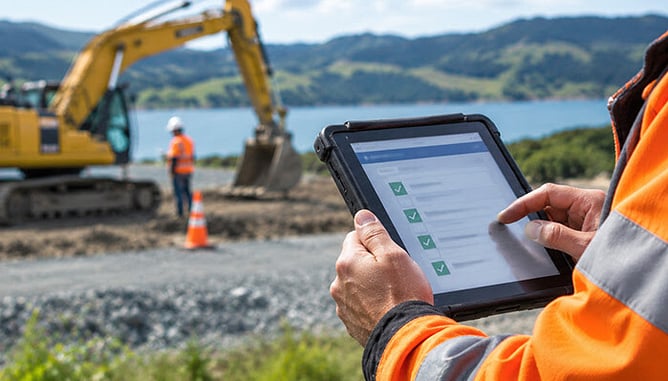
Digital assessments can be useful at several points in a worker's time with an organisation. During onboarding, short online competency checks can help confirm that new starters have understood site rules, procedures and key risks before they begin work. Our articles on best practices for digital onboarding and why safety induction is the cornerstone of competency management explore this stage in more detail. Once workers are established, refresher assessments can help confirm that skills remain current, particularly for tasks that are performed infrequently or carry higher risk.
Skill validation is another common use. When a worker moves into a new role, takes on new responsibilities or begins using new plant or equipment, a digital assessment can confirm they are ready, with the result recorded straight away. For practical, on-the-job checks, digital verification of competency allows managers to assess, verify and sign off in the field. The same approach can extend to contractors and subcontractors, whose competencies can be tracked alongside your own people so the crew on site is verified whoever employs them.
Designing Digital Assessments That Are Genuinely Useful
An assessment tends to be most useful when it is closely tied to the competencies a role requires. Setting the competencies and assessments each role needs, as part of a clear competency framework, helps make “competent” something specific and measurable within your organisation and gives assessors a consistent reference point. A few principles can help shape assessments that are quick to complete and easy to act on.
Link each assessment to a specific role, task or piece of equipment, so the result has a clear purpose.
Keep questions focused on the knowledge and skills that matter most for safe, effective work.
Combine knowledge questions with practical observation where the task calls for it.
Agree how often the assessment should be repeated, and record when the next one is due.
Accessibility is worth considering too. WorkSafe's guidance notes that training and information should be readily understandable, and suggests taking into account workers' first language, literacy and how they learn best. In practice, that may mean using plain language, including practical demonstrations alongside written questions, or having a supervisor record verbal answers. A mix of formats can often give a fuller picture of competence than a single type of question.
From Assessment Results to Training Tracking
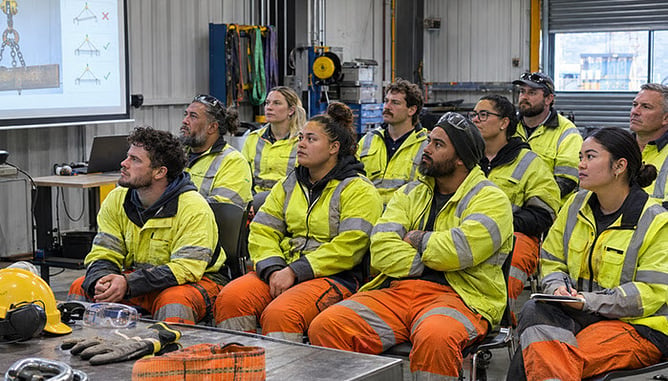
One of the main advantages of digital assessments is what happens after they are completed. When results are recorded in a central system, they can update each worker's competency profile and feed into a live skills matrix, making it easier to see where the gaps are by person, team or competency. Our guides on how to create an effective skills matrix and how to close competency gaps in your workplace look at how to put that information to work.
Good training tracking tools can also help teams look ahead. In CheckSafe, you set expiry dates once and the system warns you before anything lapses, while forward planning lets you forecast upcoming training and renewals and schedule them in advance. Training history and gap reports can be exported to Excel and used with reporting tools such as Power BI, so the same data can support conversations with management, clients and auditors.
Keeping Records Accurate and Consistent
Digital assessments can reduce the manual steps where errors sometimes creep in, such as transcribing handwritten results, filing forms in different locations or updating more than one spreadsheet, a topic we cover in why spreadsheets slow down your training records management. When a result is captured once at the point of assessment and time-stamped automatically, the record is more likely to be complete, legible and easy to find. Using the same assessment form across every site can also support consistency, so results from one region can be compared with confidence against another.
WorkSafe's fact sheet notes that organisations are not generally required to keep training records, although records are useful for showing what training has taken place and when refresher training is needed, and they can be kept in written or electronic form. Some regulations do set specific requirements. For example, WorkSafe's hazardous substances guidance states that a record of the training and instruction provided to each worker must be kept and made available to inspectors or compliance certifiers.
Assessment records also contain personal information, so it is worth reviewing how they are collected, stored and shared. Employment New Zealand's guidance on employee privacy outlines employers' obligations under the Privacy Act 2020. In CheckSafe, multiple user access levels mean employees see their own profile, site managers see their location and leaders see everything.
Getting Started With a Digital Assessment Process
Moving to digital assessments is often easiest when it starts with the roles and competencies that matter most. Mapping what each role requires, reviewing the assessment forms already in use and deciding which to convert first can help build early momentum. Our free training matrix template can be a useful starting point for mapping roles and current competency before moving into a dedicated system.
With CheckSafe, the setup process is designed to be straightforward. We help you build your skills matrix into one competency framework, load your people, roles and assessments, and provide one-on-one training so your team owns the system from day one. Most teams are live inside a month.
Frequently Asked Questions
What Is a Digital Assessment in Competency Management?
A digital assessment is a competency check that is completed and recorded electronically rather than on paper. It may include knowledge questions, a practical observation or both, with the result saved directly to the worker's record. In a competency management system, these results can then feed into skills matrices, profiles and reports.
How Can Digital Assessments Reduce Paperwork and Human Error?
Digital assessments capture the result once, at the point of assessment, which can remove steps such as retyping handwritten forms or updating several spreadsheets. Automatic time-stamping and consistent forms can help keep records complete and legible. Results are also stored in one place, which can make them quicker to find when a supervisor, client or auditor needs them.
Do New Zealand Businesses Have to Keep Training Records?
WorkSafe's guidance notes that organisations are not generally required to keep training records, although records are a useful way to show what training has taken place and when refreshers are due. Some regulations set specific requirements, such as the requirement to keep records of training and instruction for workers dealing with hazardous substances. It is worth checking which rules apply to the work your organisation carries out.
Can Digital Assessments Be Completed Without Internet Access?
This depends on the system being used. CheckSafe's mobile app includes offline functionality, so managers can run and sign off assessments in the field on any device. This can be helpful on remote or rural sites where coverage is limited, and our article on ways to keep remote workers safe using digital technology explores this further.
Can Certificates From External Training Providers Be Included?
Many competency systems allow external certificates to be stored alongside internal assessments. In CheckSafe, certificates from external providers can be uploaded so all the evidence sits in one profile, alongside your own assessments. This gives a fuller view of each worker's training and demonstrated competence.
How Long Does It Take to Set Up Digital Assessments?
Timeframes vary depending on the size of the workforce and how many roles and assessments are involved. With CheckSafe, most teams go from first demo to up and running in about four weeks, with support to build the competency framework, load people and assessments, and train the team one-on-one.
How CheckSafe Supports Digital Assessments
CheckSafe brings assessments, training records and competency tracking together in one cloud-based platform built for high-risk work. With the built-in form builder, you can create digital assessment forms that match how your organisation actually checks competence, upload external certificates and capture sign-off in one place. People can reach their profiles anywhere, and managers can run and sign off assessments in the field on any device.
Every result feeds into one source of truth, with a helicopter view of overall competency, open gaps and assessments due that you can slice by site, team, role or contractor. You can explore the full platform on our features page or see how training management and competency tracking work hand in hand.
Want to set up a digital process? Talk to us and we will show you how. Already doing online training? Book a demo and see how CheckSafe can make assessments easy too, with results, certificates and renewals in one place.
CheckSafe. Your partner for competency, compliance and safer workplaces.